
CSS3动画效果
CSS3 动画的使用
CSS3 动画是一种通过逐帧改变元素的样式来实现动态效果的技术。使用 CSS3 动画可以让网页更加生动和富有交互性。下面详细介绍 CSS3 动画的使用方法。
1. 基本语法
CSS3 动画主要通过两个属性来实现:@keyframes 和 animation。
@keyframes
@keyframes 用于定义动画的关键帧,通过关键帧设置动画的中间步骤。
@keyframes animationName {
    from {
        /* 初始状态的样式 */
    }
    to {
        /* 结束状态的样式 */
    }
    /* 或者使用百分比定义 */
    0% {
        /* 初始状态的样式 */
    }
    100% {
        /* 结束状态的样式 */
    }
}
animation
animation 用于将动画应用到元素上。
.element {
    animation: animationName duration timing-function delay iteration-count direction fill-mode;
}
animationName: 动画名称,对应 @keyframes 中定义的名称。
duration: 动画持续时间(例如:2s 表示 2 秒)。
timing-function: 动画速度曲线(例如:linear、ease、ease-in、ease-out、ease-in-out)。
delay: 动画延迟时间。
iteration-count: 动画循环次数(例如:infinite 表示无限循环)。
direction: 动画播放方向(例如:normal、reverse、alternate、alternate-reverse)。
fill-mode: 动画在执行前后如何应用样式(例如:none、forwards、backwards、both)。
动画速度曲线:
| 关键词 | 中文意思 | 动画节奏 |
|---|---|---|
| linear | 线性匀速 | 从头到尾速度一样 |
| ease | 默认缓动 | 慢开始 → 快 → 慢结束(最自然) |
| ease-in | 慢进快出 | 开始慢,后面越来越快 |
| ease-out | 快进慢出 | 开始快,结尾慢慢停下 |
| ease-in-out | 慢进慢出 | 开头慢、中间快、结尾慢 |
方向可选属性说明:
| 属性值 | 中文意思 | 动画效果 |
|---|---|---|
| normal | 正常(默认) | 每次都正序播放:0% → 100% |
| reverse | 反向 | 每次都倒序播放:100% → 0% |
| alternate | 交替 | 先正放,再倒放,循环交替 |
| alternate-reverse | 反向交替 | 先倒放,再正放,循环交替 |
执行前后应用样式属性说明:
| 属性值 | 中文意思 | 效果 |
|---|---|---|
| none | 无(默认) | 动画结束 → 立刻变回原样 |
| forwards | 向前保持 | 动画结束 → 停在最后一帧(最常用) |
| backwards | 向后保持 | 动画等待延迟时 → 先显示第一帧 |
| both | 双向保持 | 同时具备 forwards + backwards 效果 |
2. 示例
简单动画示例
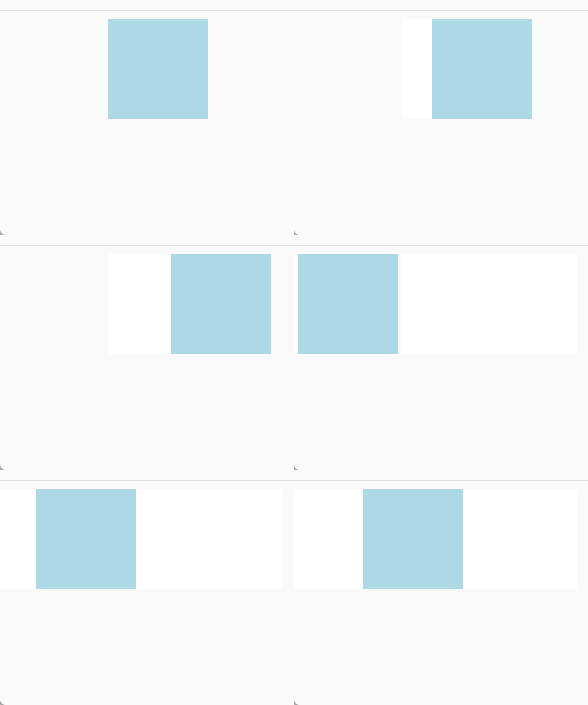
创建一个简单的盒子动画,让其从左到右移动。
<!DOCTYPE html>
<html lang="en">
<head>
    <meta charset="UTF-8">
    <meta name="viewport" content="width=device-width, initial-scale=1.0">
    <title>Simple CSS3 Animation</title>
    <style>
        .box {
            width: 100px;
            height: 100px;
            background-color: lightblue;
            position: relative;
            animation: moveRight 2s linear infinite;
        }

        @keyframes moveRight {
            0% {
                left: 0;
            }
            100% {
                left: 200px;
            }
        }
    </style>
</head>
<body>
    <div class="box"></div>
</body>
</html>
实现效果:
在这个示例中:
定义了一个 moveRight 动画,让盒子从左移到右。
使用 animation 属性将动画应用到盒子上,设置动画持续时间为 2 秒,并无限循环。
复杂动画示例
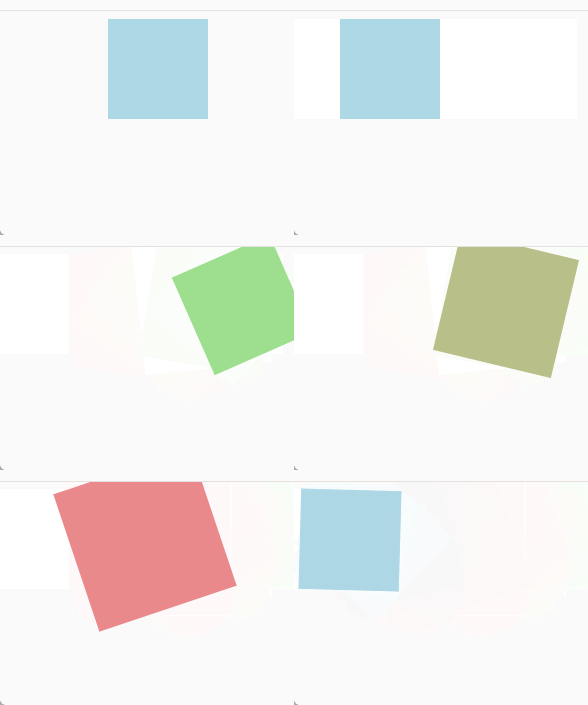
创建一个复杂的动画,让盒子改变颜色、大小,并旋转。
<!DOCTYPE html>
<html lang="en">
<head>
    <meta charset="UTF-8">
    <meta name="viewport" content="width=device-width, initial-scale=1.0">
    <title>Complex CSS3 Animation</title>
    <style>
        .box {
            width: 100px;
            height: 100px;
            background-color: lightblue;
            position: relative;
            animation: complexAnimation 4s ease-in-out infinite alternate;
        }

        @keyframes complexAnimation {
            0% {
                left: 0;
                background-color: lightblue;
                transform: scale(1) rotate(0deg);
            }
            50% {
                left: 100px;
                background-color: lightcoral;
                transform: scale(1.5) rotate(180deg);
            }
            100% {
                left: 200px;
                background-color: lightgreen;
                transform: scale(1) rotate(360deg);
            }
        }
    </style>
</head>
<body>
    <div class="box"></div>
</body>
</html>
实现效果:
在这个示例中:
定义了一个 complexAnimation 动画,包括多个关键帧(0%、50%、100%),在每个关键帧中改变元素的左边距、背景颜色、缩放比例和旋转角度。
使用 animation 属性将动画应用到盒子上,设置动画持续时间为 4 秒,动画曲线为 ease-in-out,无限循环并交替方向。
3. 动画的高级使用
多个动画
可以为一个元素定义多个动画,使用逗号分隔每个动画定义。
.element {
    animation: moveRight 2s linear infinite, changeColor 3s ease-in-out infinite;
}
动画延迟和顺序
可以设置动画的延迟时间,使其按顺序执行。
.element {
    animation: firstAnimation 2s ease-in 1s forwards, secondAnimation 3s ease-out 3s forwards;
}
动画暂停和恢复
通过 animation-play-state 属性控制动画的播放状态。
.element {
    animation: moveRight 2s linear infinite;
    animation-play-state: paused; /* 动画暂停 */
}

/* 恢复动画 */
.element:hover {
    animation-play-state: running;
}
上面用法使用示例:
<!doctype html>
<html lang="zh-CN">
  <head>
    <meta charset="UTF-8" />
    <title>CSS动画高级使用</title>
    <style>
      /* 基础盒子样式 */
      .box {
        width: 120px;
        height: 120px;
        background: #42b983;
        margin: 50px;
        border-radius: 8px;
        text-align: center;
        line-height: 120px;
        color: white;
        font-weight: bold;
      }

      /* 1. 一个元素 同时运行 多个动画*/
      .box1 {
        /* 移动 + 变色 + 旋转 三个动画同时执行 */
        animation:
          move 2s linear infinite,
          /* 平移动画 */ color 3s ease-in-out infinite,
          /* 变色动画 */ rotate 4s linear infinite; /* 旋转动画 */
      }

      /* 平移动画 */
      @keyframes move {
        0% {
          transform: translateX(0);
        }
        50% {
          transform: translateX(200px);
        }
        100% {
          transform: translateX(0);
        }
      }

      /* 变色动画 */
      @keyframes color {
        0% {
          background: #42b983;
        }
        33% {
          background: #ff7875;
        }
        66% {
          background: #ffc53d;
        }
        100% {
          background: #42b983;
        }
      }

      /* 旋转动画 */
      @keyframes rotate {
        0% {
          transform: rotate(0deg);
        }
        100% {
          transform: rotate(360deg);
        }
      }

      /* 2. 动画延迟 + 按顺序执行 */
      .box2 {
        /* 动画1:2秒执行,延迟1秒开始,停在终点
       动画2:3秒执行,延迟4秒开始,停在终点 */
        animation:
          down 2s ease 1s forwards,
          scale 3s ease 4s forwards;
      }

      /* 向下移动 */
      @keyframes down {
        0% {
          transform: translateY(0);
        }
        100% {
          transform: translateY(150px);
        }
      }

      /* 放大 */
      @keyframes scale {
        0% {
          transform: scale(1);
        }
        100% {
          transform: scale(1.5);
        }
      }

      /* 3. 动画暂停与恢复(hover 控制)*/
      .box3 {
        animation: spin 3s linear infinite;
        /* 默认暂停 */
        animation-play-state: paused;
      }

      /* 鼠标悬浮 → 播放动画 */
      .box3:hover {
        animation-play-state: running;
      }

      @keyframes spin {
        0% {
          transform: rotate(0);
        }
        100% {
          transform: rotate(360deg);
        }
      }
    </style>
  </head>

  <body>
    <h3>1. 同时执行多个动画(移动+变色+旋转)</h3>
    <div class="box box1">多动画</div>

    <h3>2. 动画按顺序执行(延迟控制)</h3>
    <div class="box box2">顺序动画</div>

    <h3>3. 动画暂停 / 悬浮恢复</h3>
    <div class="box box3">悬停播放</div>
  </body>
</html>
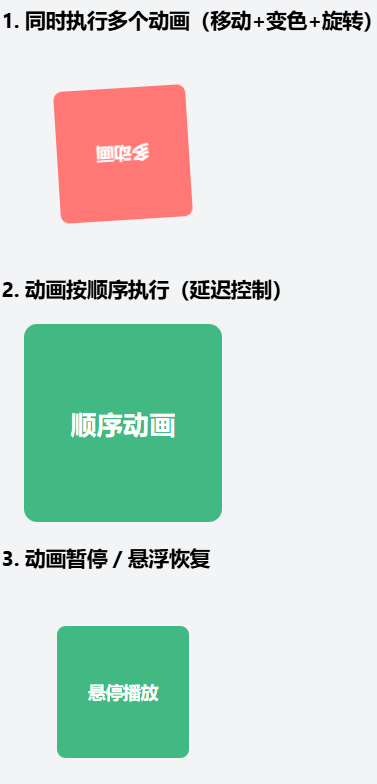
实现效果:
4. 实用建议
性能优化:尽量减少动画的复杂度,避免过多的重绘和重排,以提高页面性能。
渐进增强:为不支持 CSS3 动画的浏览器提供退化效果,保证页面的基本功能和体验。
用户体验:动画效果要适度,过多或过于复杂的动画可能会影响用户体验,适当使用可以提升视觉效果和交互性。
练习题:CSS3 动画
目标:创建一个简单的加载动画,让一个圆形元素在垂直方向上来回移动,并改变其颜色。
要求:
创建一个圆形元素,直径 50px,初始背景色为蓝色。
使用 @keyframes 定义一个动画,让圆形元素在垂直方向上来回移动,移动范围为 100px。
在移动过程中,圆形元素的背景色从蓝色渐变到红色,再回到蓝色。
将动画应用到圆形元素上,动画持续时间为 2 秒,循环播放。
参考答案:
<!DOCTYPE html>
<html>
<head>
    <meta charset="UTF-8">
    <meta name="viewport" content="width=device-width, initial-scale=1.0">
    <title>Animation Exercise</title>
    <style>
        .circle {
            width: 50px;
            height: 50px;
            background-color: blue;
            border-radius: 50%;
            position: relative;
            animation: moveUpDown 2s ease-in-out infinite;
        }

        @keyframes moveUpDown {
            0% {
                top: 0;
                background-color: blue;
            }
            50% {
                top: 100px;
                background-color: red;
            }
            100% {
                top: 0;
                background-color: blue;
            }
        }
    </style>
</head>
<body>
    <div></div>
</body>
</html>

毕设系统定制、课程教学、问题1对1远程解答,可联系村长QQ:330168885
需要购买本课才能留言哦~